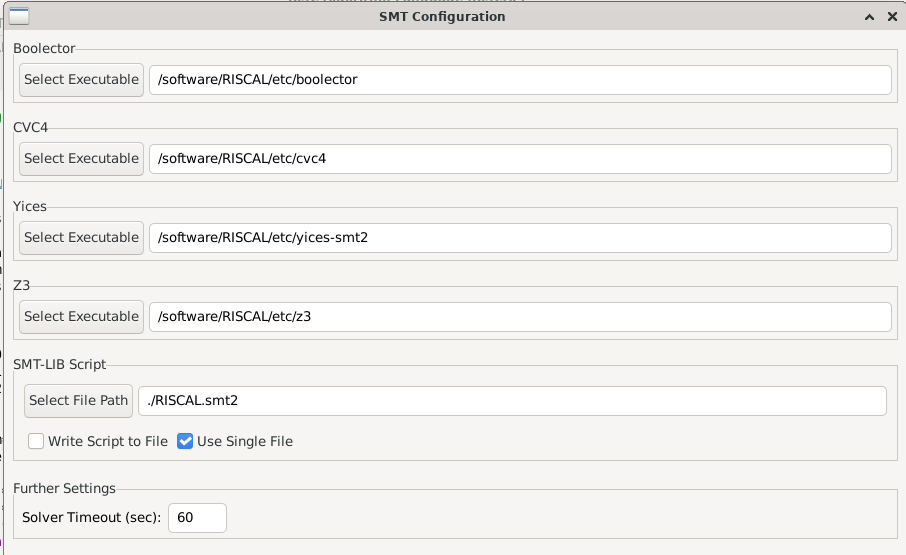
In the course VM, the task menu option "Apply SMT Solver" gives an error. To make it work, please configure in menu "SMT/Configuration" the paths as shown in the attached picture. Actually, it suffices to set the entry for "Yices" if you select in menu "SMT/SMT Solver" the entry "Yices" (the recommended solver). For setting the path, press the "Select Executable" button and navigate through "Other Locations/Computer/software/RISCAL/etc/..." (where "..." is e.g. "yices-smt2").
For the assignments, the use of the SMT solver is not strictly necessary, because the verification conditions are so small that also the builtin evaluation mechanism ("Execute All Tasks") should be reasonably fast; you might also use this one instead.